Geofencing Proves Where, Not Who: GPS Time Clock Apps With Identity Verification Compared (2026)
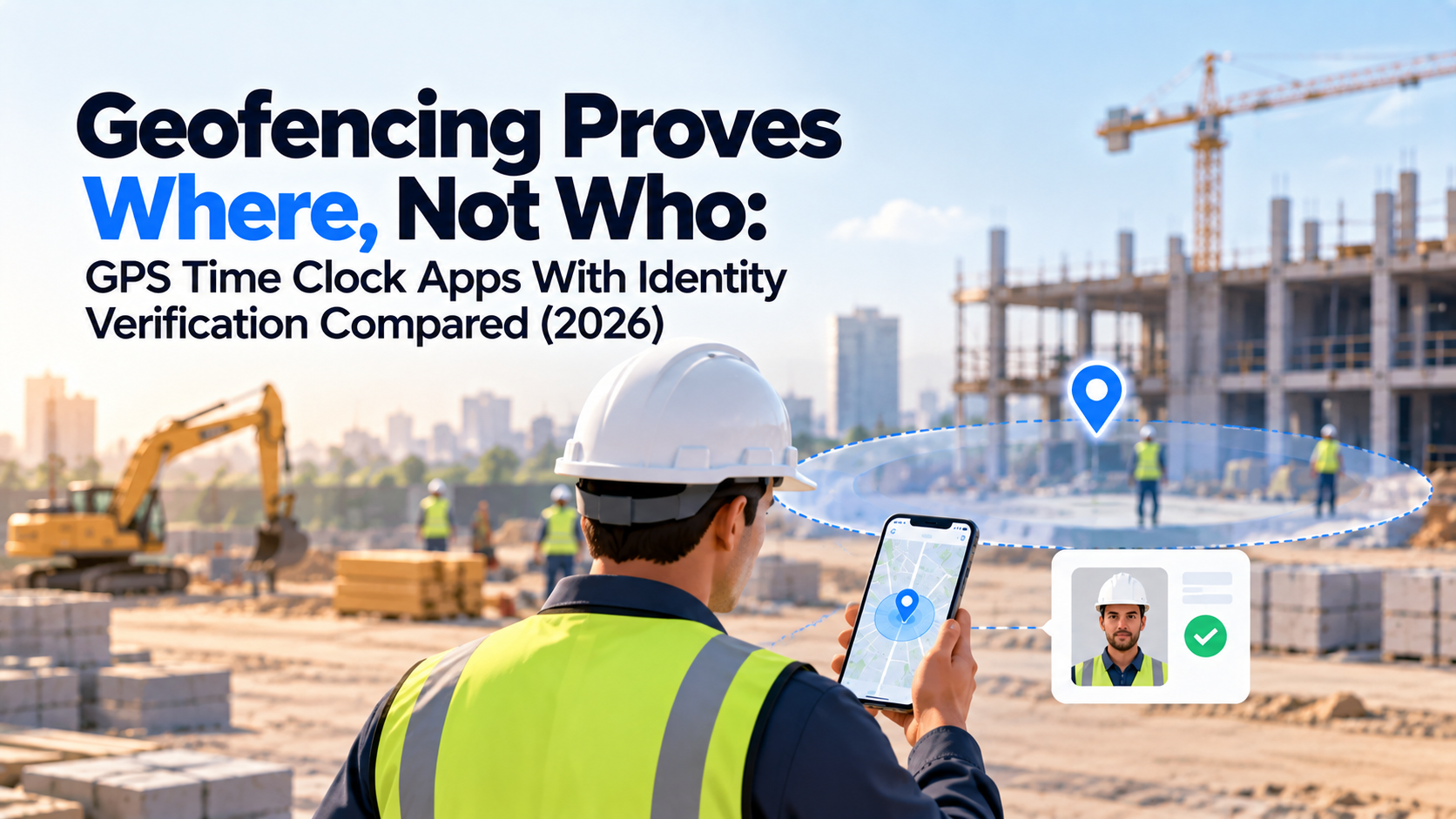
A site supervisor pulls up the attendance dashboard on a Tuesday morning and every clock-in landed cleanly inside the jobsite boundary, exactly where the geofence said it should. Payroll runs clean that week.
Three weeks later, a foreman mentions offhand that one crew member has been clocking in two guys with a single phone since the second week of the project. The geofence never flagged it, because it was never built to.
That gap is not a bug. It is what geofencing does by design: it checks where a device is, not who is carrying it. Most buying guides for GPS time clock apps treat "has geofencing" and "prevents buddy punching" as the same claim. They are not, and the distance between them is where payroll leaks money nobody catches until an audit.
This article draws that line precisely, compares eight platforms on where each one sits between location verification and identity verification, and closes with a checklist for matching the right level of verification to the fraud risk on your own sites.
Key Takeaways
- GPS and geofencing confirm a device sat inside an approved boundary. They say nothing about who was holding that device.
- Buddy punching survives inside a perfectly configured geofence, because the fence checks coordinates, not faces.
- "Facial recognition" and "photo verification" get marketed as if they were the same feature. They are not. One matches a face against an enrolled identity; the other stores an image for someone to look at later.
- Liveness detection is the layer that catches a printed photo or a video held up to a camera. Most GPS time clock apps do not have it.
- Offline capture matters on low-signal jobsites, but an offline clock-in shows up on the dashboard after it syncs, not while it happens.
- Eight platforms, compared on exactly one axis: does this tool verify location, identity, or both, and how.
Why Geofencing Alone Does Not Verify Who Clocked In
Geofencing does one job well: it draws a virtual boundary around a job site using GPS coordinates, then allows, blocks, or flags a clock-in based on whether the requesting device is inside that boundary.
That is a location check. It has no mechanism for checking identity, because it was never designed to. A geofence has no concept of a face, a badge, or a fingerprint. It only knows where a signal came from.
A geofence answers one question: Was a device inside this boundary? It cannot answer a second, separate question: Was the right person holding that device?
That distinction sounds academic until you watch it fail. Picture a 40-person crew on a mid-rise job. One crew member clocks in, hands his phone to a coworker standing three feet away, and that second crew member clocks in on the same device seconds later using a saved login.
Both punches land inside the geofence. Both timestamps look clean. Nothing in the record shows that only one person actually showed up.
A geofence checks where a device is standing. It has never once checked who is holding it.
A Worked Example: One Phone, Two Clock-ins, One Geofence
Run the numbers on a 20-person crew where this happens twice a week, at eight hours a clock-in. That is 320 unearned hours a year on work that was never performed, hidden inside records that show 100% valid, in-boundary clock-ins.
Geofencing did not fail here. It did exactly what it was built to do, and the fraud walked straight through the part of the system it was never designed to guard.
No verification method blocks every fraud attempt every time, including identity checks. What changes is how many routes stay open.
A device passed hand-to-hand defeats location enforcement without breaking a single geofencing rule, which is why platforms like Truein pair the geofence with a face match at the same clock-in instead of relying on location data alone.
Location Verification vs. Identity Verification: What Each One Actually Proves
The table below separates six verification methods by what each one proves, what it cannot prove, and where the real fraud risk sits.
| Verification Method | What It Proves | What It Does Not Prove | Main Fraud Risk | Best Use Case |
|---|---|---|---|---|
| GPS Coordinates | The device's approximate location at the moment of clock-in | Who is holding the device | Device passed between crew members | Basic route or mileage logging |
| Geofencing | The device was inside an approved boundary | Identity of the person carrying it | Buddy punching from inside the fence | Preventing off-site clock-ins |
| Photo capture | An image exists tied to the timestamp | Whether anyone checked the image against the right person | Photo stored but never reviewed before payroll runs | Low-fraud-risk teams that want a record, not real-time blocking |
| PIN entry | The correct code was entered | Who typed it | A shared or overheard PIN | Low-stakes internal tracking |
| Automated facial recognition | The face at the camera statistically matches an enrolled profile | Whether the "face" was a live person or a static image, unless paired with liveness detection | A high-quality printed photo or a photo held up to the lens | Crews where identity fraud is the live risk, not just location fraud |
| Facial recognition with liveness detection | Match plus confirmation of a live, present person | Nothing meaningfully left uncovered at the clock-in step itself | Determined, sophisticated spoofing attempts, which remain rare | Multi-site, high-turnover, or subcontractor crews where accountability is hardest to enforce manually |
That last row, facial recognition with liveness detection, is where Truein sits, and it is the one vendor marketing blurs the most.
Photo Capture vs. Automated Face Matching: Why Vendor Language Blurs the Two
Here is the sentence that resolves most of the confusion in this category: a time tracking software that blocks a failed face match before the clock-in is accepted is solving a different problem than a platform that captures a photo for a supervisor to review after the shift is over, and vendor marketing rarely marks which one you are buying.
ClockShark's own documentation describes its facial recognition as a photo that gets embedded in the timesheet, available only through Kiosk Clock, with the system notifying an admin if it cannot recognize the worker.
That is different from a system that blocks the clock-in attempt outright on a mismatch. Workyard states the distinction directly in its own help center: its clock-in photo feature is not based on facial recognition, and the system cannot identify the individual from the photo, only confirm a face is present.
Connecteam's documentation describes a similar tier, a required selfie triggered by a new or unrecognized device, used as a manual deterrent rather than an automated match.
Jibble sits on the other side of that line. Its help documentation describes facial recognition that runs an automatic comparison against a stored baseline photo at every clock-in, on both personal devices and shared kiosks, and flags a mismatch to the account owner by email. That is a genuine identity match, not a stored image waiting for a human to glance at it later.
Some platforms in this category, including Truein's time tracking software, pair face recognition with GPS and geofencing at the same clock-in, so location and identity get checked together rather than as two separate steps a supervisor has to reconcile by hand. Truein's face recognition runs around 95 to 100 percent accurate, even with hard hats, masks, and changed hairstyles, and works alongside geofencing so a clock-in has to clear both checks.
A failed face match blocks that specific clock-in attempt on the spot and prompts a retry, while AI TimeGuard, an AI-powered anomaly detection layer, continues watching for spoofing patterns across the account and can flag a suspicious record after the fact, depending on how the account is configured.
Those are two different safeguards working at two different points in time, and treating them as one guarantee overstates what either one does alone.
What Liveness Detection Catches, and What it Does Not
Liveness detection is the step that checks whether the face in front of the camera belongs to a live, present person rather than a printed photo, a photo displayed on a second screen, or a prerecorded video.
Without it, an automated face match can be fooled by something as simple as holding up a photograph of the enrolled worker, because the system is only comparing pixels, not confirming presence.
This matters most once an operation crosses a handful of active sites and nobody knows every face by sight. Liveness detection does not make spoofing impossible. It raises the cost and sophistication required to pull off the same logic behind every layer in this table: nothing here is a single silver bullet. Truein blocks a mismatched face at the moment of the clock-in and prompts a retry, and its AI TimeGuard layer flags spoofing patterns for manager review after the punch. Treat anti-spoofing as a layered control that raises the cost of a fake clock-in, not a real-time guarantee.
If a vendor's sales page says "facial recognition" without specifying whether a failed match blocks the clock-in attempt or just gets logged for later review, ask directly. The wording alone will not tell you which tier you are buying.
Which GPS Time Clock Apps Verify Employee Identity: A 2026 Comparison
This comparison covers eight platforms actively marketed as GPS time clocks with identity verification, evaluated on the same axis throughout: what each one verifies, and how.
| Platform | GPS Tracking | Geofencing | Photo Capture | Automated Face Match | Liveness Detection | Offline Capture | Best Fit |
|---|---|---|---|---|---|---|---|
| Truein | Yes | Yes, radius or custom polygon boundary | Yes | Yes, at clock-in on mobile or shared kiosk | Prevents buddy punching and fake clock-ins using real-time anti-spoofing facial biometrics | Yes, on-device capture with sync on reconnect | Hourly and multi-site crews needing verified identity plus location together |
| Jibble | Yes | Yes, custom radius per site | Yes, image stored with each entry | Yes, matched against a baseline photo, personal device or kiosk | Identifies live presence vs. photos/videos; can automatically block fake clock-ins | Yes, offline recognition supported per vendor documentation | Teams wanting a free tier with real face matching rather than photo-only |
| ClockShark | Yes | Yes, per-jobsite, requires manual setup per new job | Yes, Kiosk Clock only | Described as facial recognition with admin alert on mismatch; scope limited to Kiosk Clock mode per vendor documentation | Compares a snapshot against a reference image exclusively on shared tablets; flags mismatches for review. | Yes, clock-ins queue in a sync tab and send once signal returns | Smaller construction and field service teams already inside the ClockShark ecosystem |
| Workyard | Yes, continuous during clocked-in sessions | Yes, including polygon boundaries | Yes, Pro and Autopilot plans; confirmed by Workyard's own help center as face detection, not identity matching | Explicitly not offered; Workyard's help documentation states the feature "cannot identify the individual" | No real-time liveness detection Detects whether a face is in the picture and attaches it to the time card for manual manager review | Yes, on-device capture with sync on reconnect | Crews prioritizing continuous GPS visibility over automated identity confirmation |
| Connecteam | Yes | Yes, 150 to 750 meter radius, can restrict or flag | Yes, selfie tied to new-device detection or kiosk login | Not supported;documentation describes manual review use | No real-time liveness detection; Attaches a live selfie and geographic coordinates to the time card for accountability | Not supported | Multi-purpose deskless team management where attendance is one of several needs |
| SmartBarrel | Yes | Yes, radius or polygon, mobile and kiosk | Yes | Vendor markets automated facial verification with self-learning enrollment | Rugged job site kiosk with live face detection and mathematical verification mapping | Yes, hardware time clock runs on built-in LTE independent of site WiFi | Larger specialty trade contractors open to a dedicated hardware clock alongside the app |
| busybusy | Yes | Yes, reminder-based | Yes, requires pre-uploaded reference photos | Marketed as photo-based facial recognition; enrollment method differs from self-learning systems | Employs AI to flag when someone clocks in for a peer, alongside an automated safety gear (PPE) photo scan | Yes, offline access with sync on reconnect | Smaller QuickBooks-based contractors also tracking equipment hours |
| QuickBooks Time | Yes | Yes, tied to Time Elite plan | Yes, via Time Kiosk Photo Capture; requires device camera access | Not Supported; Flags mismatches for admin review instead of blocking clock-ins; Kiosk mode only | Captures photos at the shared kiosk, uses AI facial recognition, and emails alerts for mismatched profiles | Limited per user reports; requires connectivity for full accuracy | Teams already committed to the QuickBooks payroll ecosystem |
A platform that pairs GPS and geofencing with a real, matched identity check at clock-in is solving a narrower and more specific problem than a platform that only records a photo, and the table above is built to make that difference visible rather than assume it from a feature checkbox.
Verification tier is only half the buying decision. The other half is whether a verified clock-in reaches payroll without someone re-typing it. Truein exports payroll-ready reports through ADP, QuickBooks, Sage, Xero, SAP, Viewpoint, and Paychex, using API sync for real-time data or FTP for batch workflows.
A platform that verifies identity perfectly but dumps a CSV nobody reconciles until month-end has just moved the manual-review burden from the clock-in to the payroll desk.
What Evidence Does a Clock-In Actually Create
A verified clock-in is not just a timestamp. A complete time tracking record, the kind that holds up if a clock-in gets disputed later, should contain:
- The employee's identity
- The exact timestamp
- GPS coordinates and geofence result
- Which verification method ran
- The captured image or face-match result
- The device used
- A visible edit history if the record was ever corrected
A record missing any one of those fields, most commonly the verification method or the edit history, is functionally a photo with a timestamp attached, not proof of who worked the shift. That gap is exactly where a disputed hour becomes unrecoverable.
GPS Proves the Phone Was There. It Does Not Prove the Right Person Was Holding It.
This is worth restating plainly, because it is the single idea this whole comparison rests on: location data and identity data answer two different questions, and a system that only answers one of them is half a fraud-prevention tool, whatever the marketing page calls it.
A related gap shows up that has nothing to do with fraud directly. A worker standing 20 feet outside a poorly sized fence line, in the parking lot, gets flagged as off-site despite arriving on time. A worker three floors underground in a basement pour does not register a signal at all. Neither failure involves fraud. Both come from treating GPS as more precise than it actually is, which is why Workyard offers polygon boundaries drawn to the property line as an alternative to a circular radius on irregular sites.
Can a Worker Fake Their Location and Still Clock In
Location spoofing is a real, documented risk category, and it deserves a straight answer rather than a dismissal.
A device can misreport its location through a mock-location setting, a rooted or jailbroken operating system, or a dedicated spoofing app, none of which require leaving home.
A VPN, by contrast, typically changes network routing rather than the phone's hardware GPS reading, a weaker attack path than most buyers assume.
The defensive signals worth asking a vendor about are mock-location detection, device integrity checks, and impossible-travel flags, which catch a worker who appears to clock in at two sites minutes apart.
None eliminate spoofing outright. They raise the skill and effort required, the same logic that governs every layer in this comparison. Truein's AI TimeGuard layer watches for exactly this pattern, impossible-travel sequences and identical clock-in timing across the account, and surfaces it for manager review rather than claiming to block spoofing outright. Treat a vendor claiming spoofing is impossible on their platform with skepticism.
Ask any vendor whether their spoof detection runs at the moment of the clock-in or afterward as a backend review. If the answer is "afterward," that is not a failure. It is a distinct, second layer of protection, and buyers should know which layer they are getting before payroll runs on top of it.
The Site and Workforce Conditions That Decide How Much Verification You Need
There is no single best answer to "how much identity verification do I need," because the right answer depends entirely on how well your supervisors already know the people on site.
The scenarios below sort by that variable, not by industry, because the same operational logic applies whether the crew is pouring concrete or cleaning office towers.
Trusted, Low-Turnover Mobile Crew Members
A facility management crew that has worked the same handful of client sites for two years falls here. Supervisors know every face. GPS and geofencing alone may be sufficient, and identity verification is a hardening step against a risk that has not shown up yet.
High-Turnover Field Crews
A janitorial operation staffing up seasonally across a dozen sites lives here, and so does a retail chain running frequent shift swaps.
Supervisors stop personally recognizing every crew member once headcount and site count both climb, which is exactly where photo-capture-only tools, the tier ClockShark and Workyard both run outside kiosk mode, fail quietly. Nobody reviews a stored image against a face they do not recognize, so the photo exists but does nothing.
Subcontractors Rotating Across Client Sites
A general contractor running three specialty trade subcontractors through one job, or a staffing agency placing workers across several retail locations, sits at the highest exposure point.
Least personal accountability, most sites in play, least direct oversight per worker. This is the scenario where automated face matching earns its cost fastest, because the alternative is trusting a headcount nobody on-site can independently verify, and it's the specific use case platforms like Truein are built around: multiple subcontractors under one account, with per-subcontractor headcount limits and scoped supervisor access.
The Buyer Checklist Before You Shortlist a Vendor
Before signing anything, confirm these 10 points directly with the vendor rather than assuming them from a feature list:
- Location verification method: Radius geofence, custom polygon, or GPS logging without enforcement.
- Identity verification method: Photo capture, PIN, or automated face matching, and whether that distinction is documented, not just implied.
- Liveness controls: Present or absent, and what specific spoof types it addresses.
- Offline behavior: What captures without signal, and what happens to that record before it syncs.
- Device sharing: Whether personal phones, shared kiosks, or both are supported, and how identity holds up on a shared device.
- Spoofing controls: Mock-location detection, device integrity checks, impossible-travel flags.
- Audit records: Whether edit history, original values, and the editor's identity are retained and visible.
- Payroll integration: Whether verified clock-ins export cleanly to the payroll system already in use, without manual re-entry.
- Privacy controls: What biometric data is stored, where, and for how long.
- Administrative workload: How much manual review a supervisor has to do per shift for the verification method to actually mean anything.
If more than a fifth of your sites lose signal during a shift, treat offline capture as a non-negotiable requirement, not just a nice-to-have feature buried in a pricing tier.
What Happens When a Jobsite Has No Signal
Offline capture solves a specific, narrow problem: a crew member clocking in where there is no cellular or WiFi signal still needs an accurate, timestamped record. Most platforms in this comparison, including Truein, capture that clock-in on the device itself and hold it locally until the connection returns.
Offline clock-ins sync and appear on the dashboard once connectivity is restored. That is not the same thing as real-time visibility, and any vendor implying otherwise is describing a capability they do not actually have.
A supervisor checking the dashboard mid-shift on a dead-signal site will not see that clock-in until the device reconnects, which could be minutes or hours later depending on the site.
Offline capture is a reassurance feature on most U.S. jobsites, since the majority of urban and suburban construction sites keep at least intermittent signal. It becomes the deciding feature the moment a meaningful share of sites sit underground, in steel-framed structures mid-build, or in genuinely rural service areas.
What a Disputed Clock-In Looks Like Without Identity Verification
A crew member’s timesheet gets challenged three weeks after the fact: they say they worked the full shift, the foreman says he never saw them past 10 a.m.
The geofence data shows a clean in-boundary clock-in at 6 a.m. and a clean out-boundary clock-out at 4 p.m. Neither timestamp proves who was carrying the phone at either end.
This is the scenario location-only systems cannot resolve, because the dispute isn't about location, it's about identity, and geofencing was never built to answer that question.
A face-matched clock-in closes this specific gap: the record shows not just where the device was, but that the enrolled crew member's face cleared the match at that moment. That doesn't make every dispute disappear, but it removes the single most common one, a coworker vouching for or against someone's presence with no independent record to check it against.
Biometric Privacy and Buddy-Punching Fraud: What U.S. Employers Should Check Before Buying
As of 2026, five states carry biometric consent requirements that apply directly to workplace attendance tracking, and the compliance picture has shifted meaningfully in the past few years.
California matters most for the broadest set of U.S. employers right now. Since January 1, 2023, the employee exemption under the CCPA and its amendment, the CPRA, expired. California employees now hold full rights, including notice, access, and deletion rights, over biometric data collected at work, attendance included. Any company running California sites should treat this as an active requirement, not something to revisit later.
Illinois carries the most legal exposure of any single state through the Biometric Information Privacy Act, which requires written consent before biometric collection and, unlike most state laws in this category, lets individuals sue directly rather than relying solely on regulator enforcement. That private right of action is why standalone face recognition gets treated with more caution in Illinois than elsewhere.
Texas addresses similar territory through the Capture or Use of Biometric Identifier Act, enforced only by the state Attorney General with civil penalties up to $25,000 per violation and no private right of action.
Washington's RCW 19.375 and Colorado's HB 24-1130, effective July 1, 2025, both require notice and consent before enrolling a biometric identifier, and neither carries a private right of action either.
None of this makes biometric time tracking legally risky by default. It makes it a category where consent-first enrollment, a documented retention policy, and a clear exception path matter operationally.
A consent screen that appears before the camera activates, with that consent logged and timestamped, is designed to support compliance with these state-level requirements, though no configurable policy engine substitutes for a vendor's own legal review of a specific deployment.
Ask any biometric attendance vendor these six questions before signing:
- Is identity automatically matched, or only photographed for later review?
- Is liveness detection included?
- What happens on a failed match?
- Does verification work offline?
- What does a supervisor actually see after a flagged clock-in?
- What biometric data gets stored, where, and for how long?
Disclaimer: This section is for general informational purposes only and does not constitute legal advice. Biometric privacy laws vary by state and change over time; the information above reflects publicly available sources as of the article's publish date and may not reflect subsequent legal developments in your jurisdiction. Before deploying biometric time tracking technology, consult a licensed attorney familiar with the applicable state and local requirements.
Frequently Asked Questions
1. Does taking a selfie at clock-in actually stop buddy punching?
Not by itself. A selfie captured for later review proves an image exists, not that anyone checked it against the right person before payroll ran. ClockShark's and Connecteam's own documentation describe this tier as a photo record tied to a timestamp rather than an automated match.
Buddy punching gets stopped only when the system compares that image against an enrolled identity in real-time and blocks a mismatch, the tier Jibble and Truein run and ClockShark limits to kiosk mode, a materially different feature even when both get marketed under similar language.
2. How is GPS time tracking different from geofencing?
GPS tracking records where a device is at a given moment. Geofencing takes that same location data and applies a rule to it: is the device inside or outside a defined boundary.
A platform can offer GPS logging without geofencing enforcement, recording location without ever restricting a punch based on it. The two terms get used interchangeably in vendor marketing, but one is raw data and the other is a rule applied to that data. Truein applies both at once: GPS confirms the coordinate, geofencing (radius or custom polygon boundary) rules on it, and face recognition checks who's holding the device, all in the same clock-in.
3. Can someone fake their GPS location and still clock in?
Yes, through a mock-location setting, a rooted device, or a dedicated spoofing app, none of which require leaving the actual jobsite. A VPN alone typically changes network routing, not the phone's hardware GPS reading, so it is a weaker attack path than most buyers assume.
Defensive signals worth confirming with a vendor include mock-location detection, device integrity checks, and impossible-travel flags.
4. Do GPS time clock apps work without the internet on the jobsite?
Most platforms compared here capture a clock-in on-device with zero connectivity, then sync it once signal returns. That clock-in does not appear on a supervisor's live dashboard until the sync completes, so offline capture protects the record without providing real-time visibility during the gap.
On sites where a meaningful share of the workday runs without signal, confirm exactly what data the app captures offline, not just whether a clock-in is recorded at all.
5. What happens if facial recognition fails because of a hard hat, mask, or bad lighting?
A well-built system should offer a retry rather than an outright block on the first failed attempt, since PPE and field lighting are routine conditions, not edge cases.
Truein documents accuracy generally in the 95 to 100% range even with hard hats, facial hair, masks, and changed hairstyles. A platform with no documented fallback for a legitimate failed match, such as a supervisor override, is a gap worth asking about before deployment.
6. Should every crew member need face verification, or just GPS?
It depends on how well supervisors already know the people showing up. A small, stable crew that has worked the same sites for years carries less identity-fraud exposure than a large, high-turnover operation rotating subcontractors across several client locations.
Apply identity verification once headcount and site count have outgrown a supervisor's ability to recognize every face on sight, which is the threshold platforms like Truein are built to sit above rather than below.
7. What information should a verified clock-in record actually contain?
A complete record needs seven things: the employee's identity, the exact timestamp, GPS coordinates and geofence result, which verification method ran, the captured image or face-match result, the device used, and a visible edit history if the record was ever corrected.
A record missing the verification method or the edit history is functionally a photo with a timestamp attached, not proof of who worked the shift.
Closing Thoughts
GPS and geofencing answer where a device was standing at the moment of a clock-in. Identity verification answers a separate question entirely, whether the person holding that device was actually the person who was supposed to be there, and a buying decision that only asks the first question is solving half the problem while paying for the whole solution.
If buddy punching or off-site clock-ins have already shown up in your own time clock data, the more useful next question is not which app has the longest feature list. It is whether your current setup checks location, identity, or both, since that single distinction is what separates a system that documents fraud from one that actually stops it.
If any platform on your shortlist blurs photo capture and automated face matching the way vendor marketing tends to, a closer look at how geofencing and identity verification work together at the point of clock-in is the fastest way to find out which one you're actually buying.
Comments
Join the discussionNo comments yet. Be the first to comment.

